
Published: 22 October 2026 | Category: Practical Tutorial
1. Why is the Network So Crucial for Co-working Spaces?
Startup culture has been booming in Hong Kong recently. Whether it's in Kwun Tong, Lai Chi Kok, or Central, many are investing in co-working spaces. For tenants (freelancers, SME owners, and startup teams), having great coffee and ergonomic chairs is a nice bonus, but the absolute, non-negotiable "lifeline" is a stable and ultra-fast internet connection. Just imagine: if a client is in the middle of a crucial cross-border Zoom meeting and the connection drops, or a designer has to wait half a day to upload a few GBs of video to the cloud, will they renew their lease next month? They'll definitely pack up and leave!
Many co-working space operators spend a fortune on renovations and furniture, but try to skimp on IT network planning. Some even think pulling a standard home broadband line and adding a few basic routers will do the trick. This is a fatal mistake! When dozens or even hundreds of devices connect simultaneously, standard equipment will inevitably crash. However, startups have limited funds, and installing a dedicated Leased Line can cost over $10,000 a month, which is too heavy a burden. So, finding that perfect balance between "ultimate speed" and "operating costs" is a mandatory lesson for every co-working space owner. Today, we'll walk you through how to smartly plan your office network step-by-step.

2. Assessing Usage: How Fast Does Your Broadband Need to Be?
Before deciding which broadband plan to apply for, the first step is to calculate your space's demand during "peak hours". Don't just count the number of seats; nowadays, everyone carries at least two to three smart devices (laptops, smartphones, tablets). If your space has 50 seats, a full house could easily mean 150 devices eating up your bandwidth at the same time. And that's not even counting your smart TVs, CCTV, smart locks, and IoT devices—these are all invisible "network vampires".
There's a simple golden rule in the industry: reserve at least 10Mbps to 20Mbps of bandwidth for each active device. If you have 100 devices, you'll need a baseline of 1000Mbps (or 1Gbps) broadband. But keep in mind, startup teams often handle large files and video conferences, so Upload Speed is often more important than download speed. If your broadband is "asymmetrical" (e.g., 1000M download but only 100M upload), it absolutely won't handle the demand of dozens of people on video calls at once.
💡 Tip: We highly recommend applying for a "Symmetrical Bandwidth" plan for your co-working space, meaning the upload and download speeds are equally fast (e.g., 1000M/1000M). This ensures your clients won't experience lag when uploading massive files or live streaming.
3. Commercial Broadband vs Home Broadband: Don't Cut the Wrong Corners
Owners often ask: "Home 1000M broadband is just over a hundred bucks, while commercial 1000M costs hundreds or even over a thousand. Can I just sneakily apply for a home broadband plan in my industrial building?" The answer is: absolutely not recommended. Plus, many telecom providers (like HKT, HKBN, SmarTone, etc.) simply don't offer home plans in commercial or industrial buildings. Even if you manage to install one, there's a world of difference in quality and guarantees between commercial and home broadband.
First is the SLA (Service Level Agreement). Commercial broadband usually comes with enterprise-grade tech support. If the connection drops, the provider promises to send a technician to fix it within hours. But if home broadband goes down, you might have to wait three or four days. If your co-working space loses internet for three days, your clients will definitely demand a refund. Secondly, commercial broadband usually provides a Fixed IP address. This is crucial for running a co-working space because you might need to set up intranet servers, advanced firewalls, or even access control systems. Without a Fixed IP, this becomes a massive headache.
⚠️ Note: Home broadband IPs are dynamic and run on a "shared bandwidth" mechanism. Once lunchtime hits and your neighbours all jump online, your space's internet speed will tank. When running a business, never skimp on basic infrastructure.
4. Practical Guide: Network Equipment and Cabling Layout
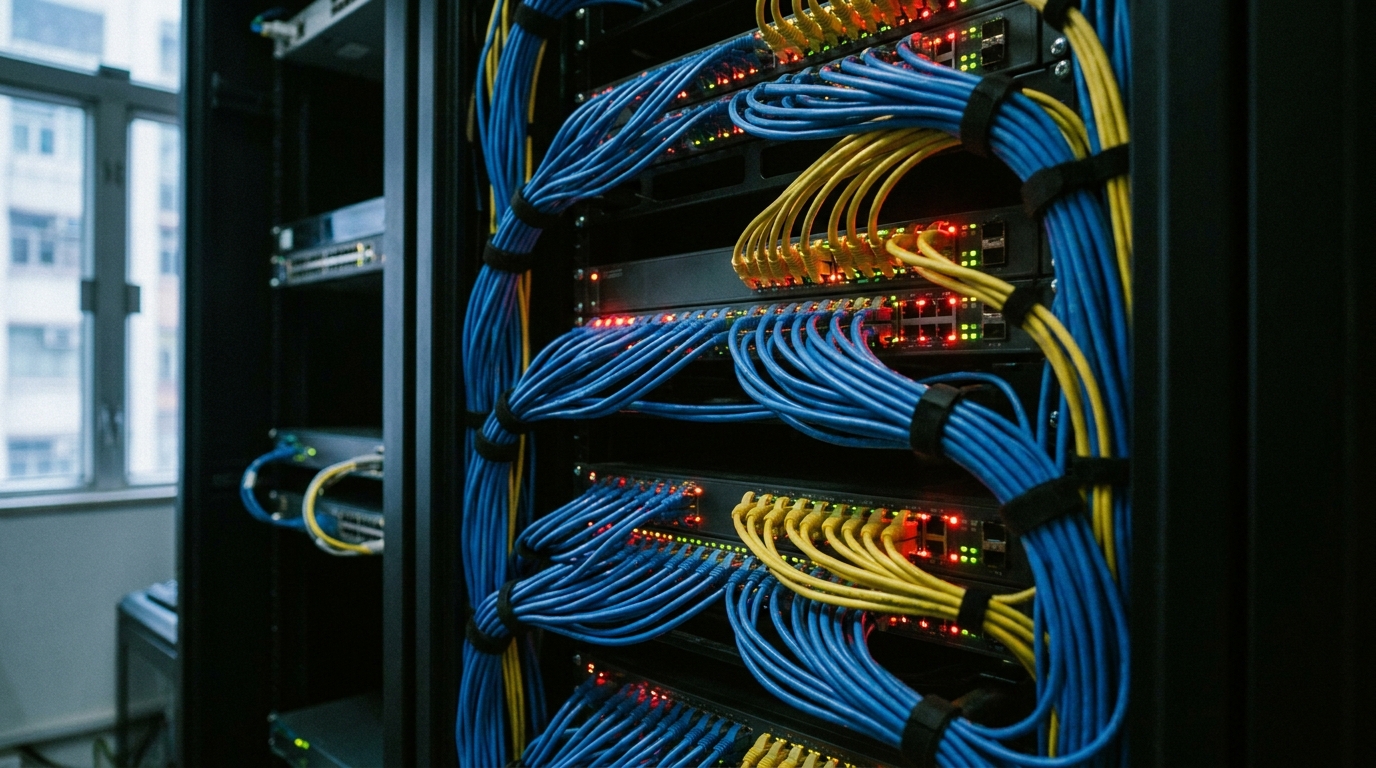
A good broadband connection needs powerful equipment to match. Many people think buying a few mesh routers for a couple of thousand dollars will do the job, but mesh routers are ultimately designed for homes. Their penetration power and ability to handle extremely high Concurrent Sessions fall far short of enterprise-grade gear. For a co-working space, you must adopt the standard architecture of "Router + Switch + Enterprise AP".
- Firewall and Router (Gateway / Router): Responsible for handling incoming and outgoing data and assigning IPs (DHCP). You must choose a commercial machine with high throughput and Load Balancing capabilities.
- PoE Network Switch (PoE Switch): Buy a switch with Power over Ethernet functionality. This way, when you run cables to the ceiling to install Wi-Fi access points (APs) or CCTV, you won't need to drag extra power cables. A single CAT6 cable handles both power and data.
- Enterprise Wireless Access Point (Enterprise AP): Installed on the ceiling to provide Seamless Roaming. When a client walks from their desk to the pantry, the Wi-Fi will automatically switch to the nearest AP without dropping the connection. Be sure to avoid interference sources like microwaves.
As for cabling, it's highly recommended to lay at least CAT6 or CAT6A network cables throughout the space. Even though Wi-Fi is fast nowadays, some tenants (like video editing companies or IT developers) will demand a LAN connection for maximum stability. Reserving LAN wall sockets in every private room or fixed desk is absolutely a great way to boost your rental value.
5. Cost vs Speed: How to Choose the Most Cost-Effective Solution?
Now for the main event: how do you build the strongest network on a limited budget? For small to medium-sized co-working spaces (around 3,000 to 5,000 sq ft), pulling a Dedicated Leased Line that costs over $10,000 might not make economic sense. Nowadays, many savvy IT pros use a "Dual-WAN Load Balancing" strategy: applying for two standard commercial 1000M broadband lines from two different telecom providers (e.g., one from HKT, one from HKBN), and combining them using a commercial router.
This approach has two major benefits: first, it drastically reduces costs; second, it offers extremely high fault tolerance (Redundancy). If one telecom provider's network goes down, the other line instantly takes over, ensuring your space never loses internet! Let's look at the comparison below:
| Item | Option A: Single Basic Commercial 1000M | Option B: Dual 1000M (Load Balancing) | Option C: Dedicated Internet Access (DIA) 1000M |
|---|---|---|---|
| Est. Monthly Fee (Approx.) | $400 - $800 | $1,000 - $1,500 (Total for 2 lines) | $5,000 - $15,000+ |
| Max Total Bandwidth | 1Gbps | Up to 2Gbps throughput | 1Gbps (Dedicated, no speed drops) |
| Stability & Redundancy | Average (Drops mean total outage) | Very High (One drops, the other takes over) | Very High (99.9% SLA guaranteed) |
| Best For | Micro-studios, under 20 people | Mid-sized co-working spaces, value seekers | Large multinational HQs |
🔥 Recommended Strategy
For the vast majority of startup co-working spaces, Option B (Dual-WAN Load Balancing) is the unbeatable choice. You just need a one-off investment in a decent enterprise-grade router and pay a few hundred dollars more a month for an extra broadband line. In return, you get rock-solid stability that rivals a leased line, saving you a massive amount of time on maintenance and handling customer complaints in the long run.

Summary
When you run a co-working space, you're not just selling a "seat"—you're selling an environment where startups can hustle with peace of mind. Network infrastructure is absolutely an investment, not just a standard consumable. From calculating overall bandwidth needs, insisting on commercial broadband, and configuring enterprise APs and PoE switches, to finally using dual-line Load Balancing to balance speed and cost, every step impacts your space's reputation and occupancy rate.
Don't wait until the renovations are done and the ceilings are sealed to realize your Wi-Fi sucks. Having to rewire everything then is a massive waste of time and money. If you're currently preparing to open a new space or looking to upgrade your existing office network, remember to shop around. Get commercial broadband quotes from major telecom providers, read the contract terms and SLA guarantees carefully, and choose the plan that best fits your operational scale. Do that, and the clients will naturally roll in, and your business will thrive!