
Published: 2 October 2026 | Category: User Story
1. Why is Sorting Out Broadband the First Thing for Returning Students?
Many Hong Kong parents share this experience: when it's just the two of you at home, that 100M or 500M basic home broadband plan you signed years ago feels perfectly fine for watching YouTube or scrolling Facebook. You've never even thought about upgrading. But once summer hits, or your kids graduate from overseas universities and return to Hong Kong, the home Wi-Fi instantly becomes a disaster zone.
Youngsters are used to lightning-fast internet abroad. Back in HK, they need to game, download massive files, and jump on HD video calls with overseas companies or universities. If your home broadband is still crawling, they'll definitely be complaining. So, getting high-speed broadband sorted early is an absolute must to welcome your returning kids! Generally speaking, an inadequate home network usually suffers from these pain points:
- The old broadband contract is too slow—only 100M or even lower—which can't handle multiple people streaming 4K videos at the same time.
- Too many Wi-Fi dead zones at home. The kids' rooms (especially those behind structural walls) get absolutely zero signal.
- Computers or gaming consoles brought back from abroad need an ultra-low latency (low ping) network environment for gaming or live streaming.

2. Real-Life Test: How Long from Getting a Quote to Installation?
Many people think setting up broadband takes ages, but Hong Kong telecom providers are actually much more efficient nowadays. We did a real-life test with a son who just returned from the UK, tracking exactly how many days the whole process took from the moment he decided to switch broadband. This test covered quote comparisons across multiple providers, including HKT, HKBN, and CMHK.
Our test results showed that as long as your estate already has fiber coverage, you can get everything sorted within a week! Here is the actual timeline we recorded:
| Stage | Time Required | Test Details |
|---|---|---|
| Step 1: Check Coverage & Quotes | Same day | Compare the latest monthly fees across providers via online platforms and confirm which ones offer fiber-to-the-home |
| Step 2: Confirm Plan & Sign Contract | 1-2 days | After picking the right plan, submit documents via WhatsApp or online to confirm the installation address |
| Step 3: Book Technician Visit | 3-5 days | Depending on estate management rules and the technician's schedule, lock in an afternoon for the visit |
| Step 4: On-Site Installation | 1-2 hours | Technician pulls the fiber cable into the home, connects the router, and tests the speed on the spot with a speed test app |
By now, you should get the idea: whatever you do, don't wait until your kid is back home to start looking for broadband. It's best to start sorting it out a week before they board their flight, so they'll have ultra-fast Wi-Fi the moment they drop their bags!
3. Choosing a Plan: Is 1000M Enough or Do You Need 2500M?
Nowadays, major telecom providers like SmarTone and 3HK offer broadband plans at various speeds, with 1000M (1G) and 2500M (2.5G) being the most common. Many parents ask: is upgrading to 1000M enough, or do we need to jump straight to 2500M for the youngsters?
It really depends on how many devices are connected simultaneously at home and your kids' usage habits. If they're just watching Netflix and replying to emails, 1000M is more than enough. But if they're hardcore gamers, or if your home has over 10 smart home devices connected, 2500M provides wider bandwidth to prevent network "traffic jams".
| Feature | 1000M Broadband | 2500M (2.5G) Broadband |
|---|---|---|
| Best For | Average families, general browsing/streaming, light WFH | Multiple heavy users, gamers, frequent large file downloads |
| Estimated Monthly Fee (varies by provider) | Around $99 - $138 | Around $158 - $298 |
| Equipment Needed | A standard Wi-Fi 6 router is enough | Requires a Wi-Fi 6E/7 router with a 2.5G port |
🔥 Recommended Plans & Router Upgrades
If you decide to upgrade to 2500M, we highly recommend adding on or buying a Wi-Fi 6E/7 router that supports Mesh Wi-Fi. No matter how fast your broadband line is, if the router can't penetrate structural walls, you'll still get nothing in the bedrooms. Many broadband providers now include Mesh router rental services, which is super convenient.
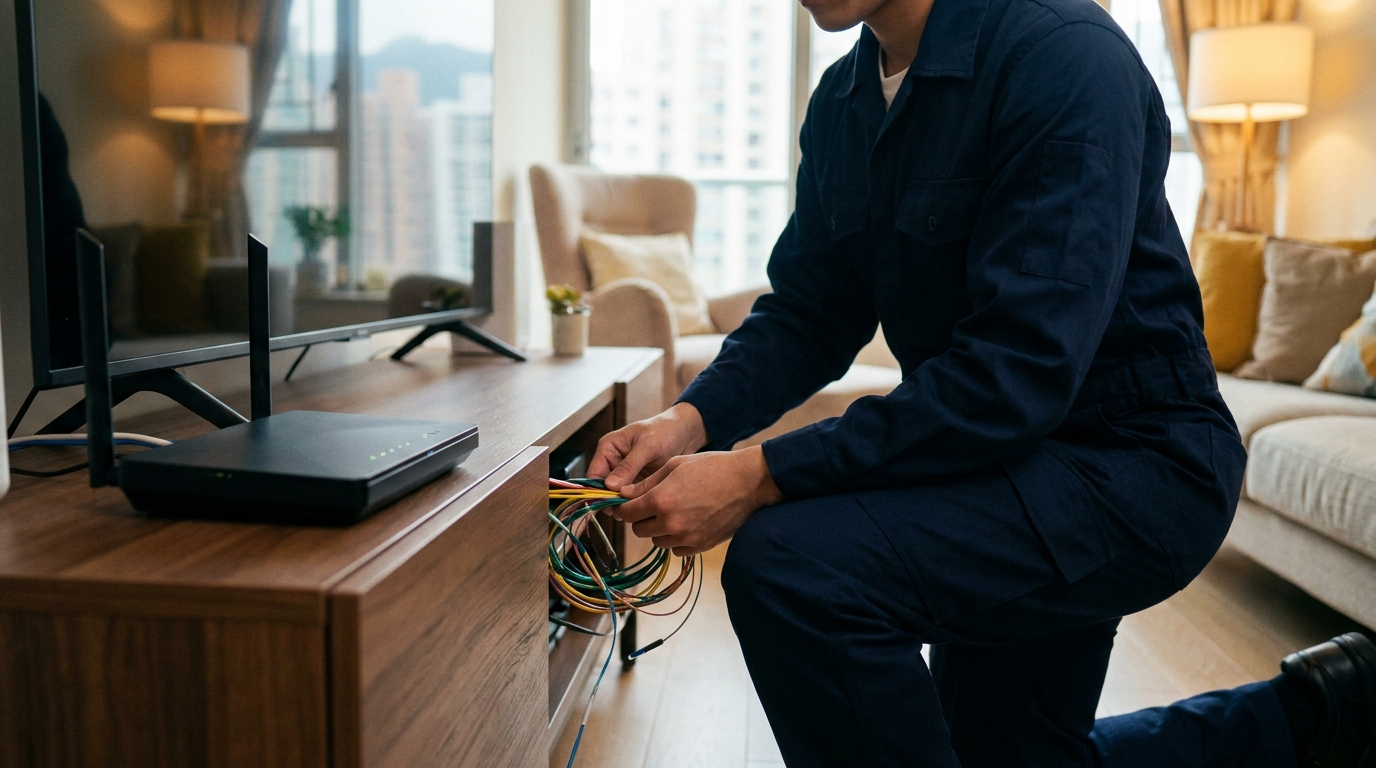
4. Exposing the Traps: Cabling, Sockets, and Coverage Issues
Think you're all set once you've picked a plan and paid? During our test, we found quite a few hidden "traps" that can delay the installation or even cause the technician to make a wasted trip. Especially if you live in a tong lau, village house, or an older private estate, pulling cables into the home often comes with unexpected hiccups.
To ensure everything goes smoothly on installation day, parents should ideally check or understand the following points before booking the technician:
- Are the concealed conduits blocked? Conduits in older buildings are often filled with dust or even deformed, meaning the technician might not be able to thread the fiber through. If they can't use the concealed conduits, they might have to run "exposed wiring" (nailing the cable along the skirting board), which affects your home's aesthetics.
- Fiber socket location: Confirm where the fiber enters the home (usually near the living room TV cabinet) and figure out where to place the router for whole-home coverage. If the distance is too far, you might need to buy a long enough LAN cable.
- Monopoly issues: Check if your estate is monopolized by a single telecom provider. If you have choices, you must compare prices; if it's a monopoly, consider using 5G home broadband as a backup plan.
⚠️ Note: If you live in a village house, cabling might need to pass through a neighbor's property or public roads, which could require extra right-of-way applications or cabling fees. Remember to clearly state your exact address to the agent during the quote stage so they can check the system and give you an accurate price!

5. Summary: Prepare Early to Save Time and Money
In conclusion, getting your home broadband sorted is a crucial step in upgrading your quality of life when welcoming your kids back from studying abroad. This real-life test proves that as long as you follow the steps—from checking coverage and getting quotes to the technician's on-site installation—it can be done in as fast as a week. The most important thing is to choose the right 1000M or 2500M plan based on your home's actual needs and to avoid common cabling traps.
Here's a quick recap of the three main takeaways for setting up your broadband:
- Start checking prices and coordinating installation times at least two weeks in advance. Don't leave it to the last minute.
- Choose a plan based on your actual needs and home size, and pair it with a Mesh router to eliminate dead zones.
- If you're tied to an old contract, make sure to calculate whether the penalty fee or the new monthly fee is more worth it. Some providers offer switching rebates to help cover the costs.
💡 Tip: Broadband prices in the market fluctuate daily, and offers vary by estate. To find the best plan, the smartest move is to use a professional quotation platform to compare the latest offers from major telecom providers all in one go!
If you're also planning to upgrade your home broadband and don't want to call every provider one by one, feel free to inquire through King Broadband. Our specialists will provide the most accurate quotes and cabling advice based on your address, helping you save to the max!