
Published: 12 August 2026 | Category: Industry Guide
1. Why Does KTV Live Streaming Demand Such High Broadband Specs?
Going to a KTV isn't just about a bunch of friends singing in a closed room anymore. With the booming popularity of live streaming on social media, many customers love to broadcast their singing sessions and interact with fans online. Some KTVs even set up "official live stream VIP rooms" with professional lighting and mics as a gimmick to draw crowds. However, if several—or dozens—of rooms are broadcasting simultaneously, it puts the venue's broadband network to the ultimate test. Many owners think a cheap, basic broadband line will do the trick, only to have customers experience constant disconnects or pixelated streams. In the end, you lose customers and get slammed with bad online reviews.
How is KTV live streaming different from regular video streaming or gaming? Here are a few critical pain points you absolutely cannot ignore:
- Massive Upload Bandwidth Demand: Regular web browsing and video watching rely on "download" speeds, but live streaming is all about "uploading" HD video to servers. Multiple rooms uploading at the same time will instantly drain the upload limit of a standard asymmetrical broadband line.
- High-Density Concurrent Connections: One room might have more than one phone live streaming. Customers are also connecting to Wi-Fi to scroll IG and reply to WhatsApp, not to mention the venue's own karaoke jukebox system. If you have 20 to 30 rooms, you're easily looking at hundreds of devices connected simultaneously.
- Strict Network Stability Requirements: The biggest fears in live streaming are ping spikes and packet loss. Even a slight network stutter ruins the viewer experience, causes audio-visual desync, and guarantees immediate customer complaints.
💡 Tip: Never underestimate your customers' demand for video quality! Many smartphone front cameras now support 4K live streaming. If your venue's network isn't up to par and forces their phones to downgrade to 720p, they'll think your KTV setup isn't pro enough!

2. Multi-Room Broadcasting: How Much Bandwidth Do You Actually Need?
Now that we know live streaming eats up "upload" bandwidth, how many Mbps does a KTV actually need? Let's do some quick math. First, we need to understand the upload speeds required for different video qualities. Generally speaking, to keep the stream smooth and pixel-free, you must reserve double the theoretical bandwidth to handle sudden data spikes.
If your venue has 15 rooms, and 10 of them are doing HD live streams simultaneously during weekend prime time, we can calculate your true bandwidth needs using the following steps:
- Single Device Requirement: A standard 1080p 60fps live stream needs at least 8Mbps to 12Mbps of stable upload speed. For a 4K stream, you're looking at 25Mbps to 35Mbps.
- Calculating Total Upload Load: Assuming 10 rooms are streaming at 1080p, the basic requirement is 10 x 12Mbps = 120Mbps. If 3 of those are VIP rooms doing 4K pro streams, it becomes (7 x 12) + (3 x 35) = 189Mbps.
- Reserving Headroom: In the networking world, you can never run at 100% capacity constantly. You also need to reserve bandwidth for regular customer browsing, the venue's POS system, CCTV, etc. So, multiply the base 189Mbps by 2, meaning you need roughly 400Mbps of "pure upload" space.
- Conclusion: A standard 1000M (1Gbps) symmetrical broadband line is actually just enough to handle the live streaming needs of a small-to-medium KTV. For large chain venues, it's highly recommended to install two 1000M lines for Load Balancing or upgrade directly to a 2000M or even 2.5G commercial broadband plan.
⚠️ Note: Many older broadband plans advertise 1000M, but they are actually "asymmetrical" (e.g., 1000M download, but only 100M or 50M upload). This type of line absolutely cannot handle multi-room live streaming. Always ask if it's "symmetrical" before signing up.
3. Commercial vs. Home Broadband: What Should KTV Owners Choose?
To save on operating costs, many SME owners quietly apply for a few cheap "home broadband" lines under their personal names to use in the shop. It might be fine for playing background music or casual customer browsing, but when it comes to handling high-frequency live streaming, home broadband will definitely cost you more in the long run. Commercial broadband has a higher monthly fee, but you're paying for guaranteed uptime and stability—an essential investment for any KTV open for business.
What are the key differences between commercial and home broadband in an extreme use case like a KTV? Let's look at a few core factors:
- SLA (Service Level Agreement): Commercial broadband comes with a contractually guaranteed uptime (e.g., 99.9%). If the line drops, telecoms have a dedicated 24-hour business hotline and promise to send a technician on-site within a few hours (e.g., 4 hours). If a home line drops, you might wait three or four days for support, watching your weekend business slip away.
- No Throttling: Home broadband contracts usually include a "Fair Usage Policy (FUP)". If your KTV has a dozen customers pushing massive upload data every night, the telecom will quickly flag it as abuse and throttle your speed. Commercial broadband expects heavy traffic and won't arbitrarily cap your speeds.
- Fixed IP: Commercial lines can come with a fixed IP, which is crucial for a KTV's backend management. For example, if you want to remotely view high-res CCTV footage from your phone, or set up an intranet server to update the jukebox song library, a fixed IP makes it much more convenient and stable.
- Overseas Bandwidth Priority: Some customers might stream on international platforms (like Twitch or the overseas version of TikTok). Commercial broadband usually gets priority for international routing, meaning lower ping times to overseas servers and less lag.
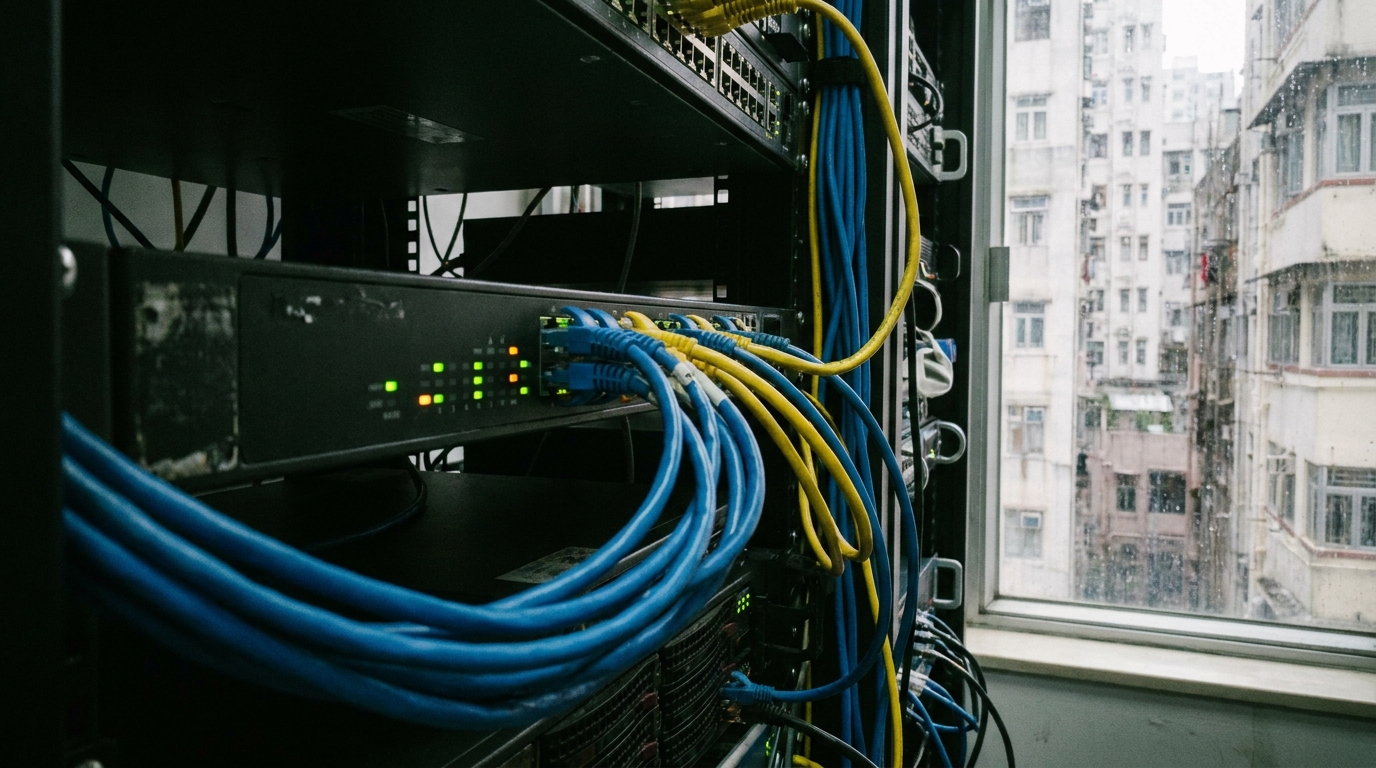
4. Eliminating Dead Zones and Latency: Hardware Setup Tips for KTV Live Streaming
Sorting out the incoming broadband line doesn't mean the job is done. KTV venues have one fatal flaw: soundproofing! To prevent noise from bleeding into the next room, every KTV room's walls and doors are packed with thick soundproofing materials, sometimes even metal layers. These materials are absolute Wi-Fi killers. If you just install one or two routers in the hallway, customers inside the rooms will get zero or extremely weak signals. Forget live streaming—even sending a photo will be a struggle.
To build a venue capable of seamless multi-room broadcasting, your internal network (Intranet) hardware must be up to the task. Here are a few pro tips for setting up a KTV network:
- Independent AP Deployment per Room: Absolutely do not rely on hallway routers to punch through walls. The best approach is to run Cat6 cables into the ceiling of every room during renovation, and install an enterprise-grade AP (Access Point, like Ubiquiti or Aruba) in every room or between every two rooms.
- Upgrade to Wi-Fi 6 or Wi-Fi 7: Older Wi-Fi 5 can't handle high-intensity transmission from too many devices at once. Wi-Fi 6 supports OFDMA and MU-MIMO technologies, which can process live stream data from multiple phones simultaneously, drastically reducing queuing latency.
- Provide Wired LAN Ports: For VIP live streaming rooms, it's highly recommended to provide built-in physical LAN wall sockets near the sofa or coffee table. Truly professional streamers will bring their own Type-C to LAN adapters to plug into their phones or laptops. A physical cable is always the ultimate, most stable, zero-packet-loss solution.
- VLAN Network Segmentation: Use an enterprise-grade Switch to separate customer Wi-Fi, the CCTV system, and the jukebox system into different VLANs. This prevents customer live streaming traffic from affecting the jukebox's response speed and is also much more secure.
🔥 Recommended Hardware Setup
Core Router + 24/48 Port Gigabit Switch with PoE + Wi-Fi 6 APs covering the entire venue. It's highly recommended to hire a professional IT contractor to configure the whole setup, ensuring Load Balancing and QoS (Quality of Service) are set correctly to prioritize live streaming upload data.
5. Comparing Commercial Broadband Plans from 4 Major Telecoms
Hong Kong has four major telecoms providing commercial broadband services: HKT, HKBN, CMHK, and SmarTone. Each has different pricing strategies, coverage areas, and value-added services. For a business like a KTV that requires extreme stability, choosing the right one largely depends on whether your building has fiber coverage from that specific telecom (i.e., whether they've "plugged in").
Below, we've put together a rough comparison table for 1000M commercial broadband plans to give owners an idea of the budget. Please note that actual commercial broadband quotes can vary significantly depending on the building type (commercial, industrial, shopping mall) and whether new lines need to be pulled. The figures below are for reference only:
| Telecom | Est. Monthly Fee (1000M Symmetrical) | Fixed IP Support | Advantages / Features |
|---|---|---|---|
| HKT | Approx. $400 - $700 | Optional add-on | Best overseas routing, extremely high stability, widest coverage |
| HKBN | Approx. $300 - $600 | Usually includes 1 | Fast local connection speeds, high cost-performance, frequent welcome offers |
| CMHK | Approx. $200 - $450 | Depends on plan | Most aggressive pricing, especially suitable for streaming to mainland platforms |
| SmarTone | Approx. $250 - $500 | Optional add-on | Balanced network quality, often offers 5G broadband as a backup solution |
If your budget allows, it's highly recommended for KTVs to apply for "Dual WAN" broadband—for instance, using HKT as the primary line and HKBN as the secondary. In the event of a major regional outage from one telecom, the router will automatically failover to the other line. Your customers' live streams won't drop, ensuring your business remains unaffected.

6. Summary: Nail the Infrastructure, and Live Stream Profits Will Follow
To sum up, if a KTV wants to successfully pivot or attract the new generation of live-streaming youth, a premium broadband network is no longer a "bonus"—it's an absolute "necessity" just like your audio equipment. If you nail the network, customers will enjoy buttery-smooth live streams every time they visit, which translates to free social media marketing for your venue. The ROI will far exceed the few hundred bucks you spend on monthly broadband fees.
Finally, here's a checklist for all the bosses out there. Keep these points in mind before signing a contract to upgrade your broadband:
- Confirm Symmetrical Speeds: Ensure you're applying for Symmetrical broadband and that upload speeds hit the mark.
- Building Fiber Coverage: Check if the building's server room has lines from your preferred telecom, and whether there are extra installation fees.
- Update On-Site Routers: No matter how fast the broadband is, if your APs are outdated models from years ago, customers will still feel the lag.
- Compare Multiple Quotes: Different telecoms run different promotions every month. Getting quotes from specialists can save you a lot.
If you're ready to upgrade your KTV venue's network but feel that asking each telecom for quotes is a waste of time, don't sweat it! Inquire through King Broadband right now. Our professional team will compare the best and most suitable commercial broadband plans in town based on your venue's address and needs. You can get a quote as fast as the same day, helping you effortlessly sort out your live streaming network infrastructure!