
Published: 16 August 2026 | Category: Business Broadband
1. Why Does Hotel Broadband Quality Impact Your Business So Much?
In today's Hong Kong, whether it's business travellers here for work or locals enjoying a staycation, the first thing they ask when entering a hotel room is usually, "What's the WiFi password?" If the hotel's broadband is slow, constantly dropping, or has dead zones, the guest experience takes a massive hit. Often, an otherwise perfect stay gets slapped with a one-star review on Agoda or Booking.com purely because of network issues, directly impacting occupancy rates and brand image.
Hotels used to be just a place to sleep, but nowadays everyone needs to reply to emails and jump on Zoom calls anytime, anywhere—and then stream 4K videos in bed at night. On top of that, many newly built or renovated hotels have introduced "smart room" devices (like smart lighting, AC controls, and voice assistants), all of which require an incredibly stable network infrastructure to function. If you're still relying on a traditional home router setup, you simply can't handle this massive connectivity demand.
To build a high-quality hotel network environment, we typically face the following three major challenges:
- High-density connectivity: If a 200-room hotel is fully booked, you could easily have over 600 phones, tablets, and laptops connected simultaneously. Standard equipment would crash instantly.
- Structural interference: Most Hong Kong hotels use concrete walls. Combined with partitions for bathrooms and wardrobes, WiFi signals degrade significantly, creating dead zones.
- Cybersecurity risks: If guests and the hotel's backend system share the same network, a guest's malware-infected device could easily compromise the hotel's booking system.

2. Guest Room WiFi Deployment: Seamless Roaming is a Must
Sorting out guest room WiFi is the first step to boosting guest satisfaction. Many older hotels install an Access Point (AP) every few dozen metres on the corridor ceiling, hoping the signal will "pierce" through the walls into the rooms. But the reality is, once the door is shut, the concrete walls block the signal, leaving areas like the bathroom with very weak reception. That's why the mainstream approach has shifted to an "In-room AP" design, ensuring every room has its own dedicated access point.
Additionally, Seamless Roaming is an indispensable feature. Imagine a guest on a WhatsApp video call walking from the lobby, into the lift, and back to their room. If the system can't switch seamlessly, the call drops, resulting in a terrible experience. To achieve this, you need a complete enterprise-grade WiFi system managed centrally by a Controller.
When deploying guest room WiFi, there are a few key steps and points you must keep in mind:
- Use Wall-plate APs: Hiding the AP inside a wall socket or behind the TV keeps the room looking pristine while providing wired LAN ports for Smart TVs or IP phones.
- Enable Band Steering (5GHz Priority): The 2.4GHz band is highly congested and prone to interference. Steering 5GHz-capable devices to connect to that band first will drastically improve speed and stability.
- Support 802.11k/v/r protocols: These protocols help smartphones intelligently decide when to switch to an AP with a stronger signal, achieving true seamless roaming wherever you walk.
- RF Tuning: Since every room has an AP, failing to control the transmit power will cause adjacent rooms to interfere with each other. The system needs to automatically adjust power levels to ensure the coverage is just right.
💡 Tip: Always get a professional IT team to conduct a Site Survey before deployment. Using specialized software to simulate signal coverage ensures you won't discover blind spots after the installation is done.
3. Backend Network Architecture: Security and Bandwidth Management
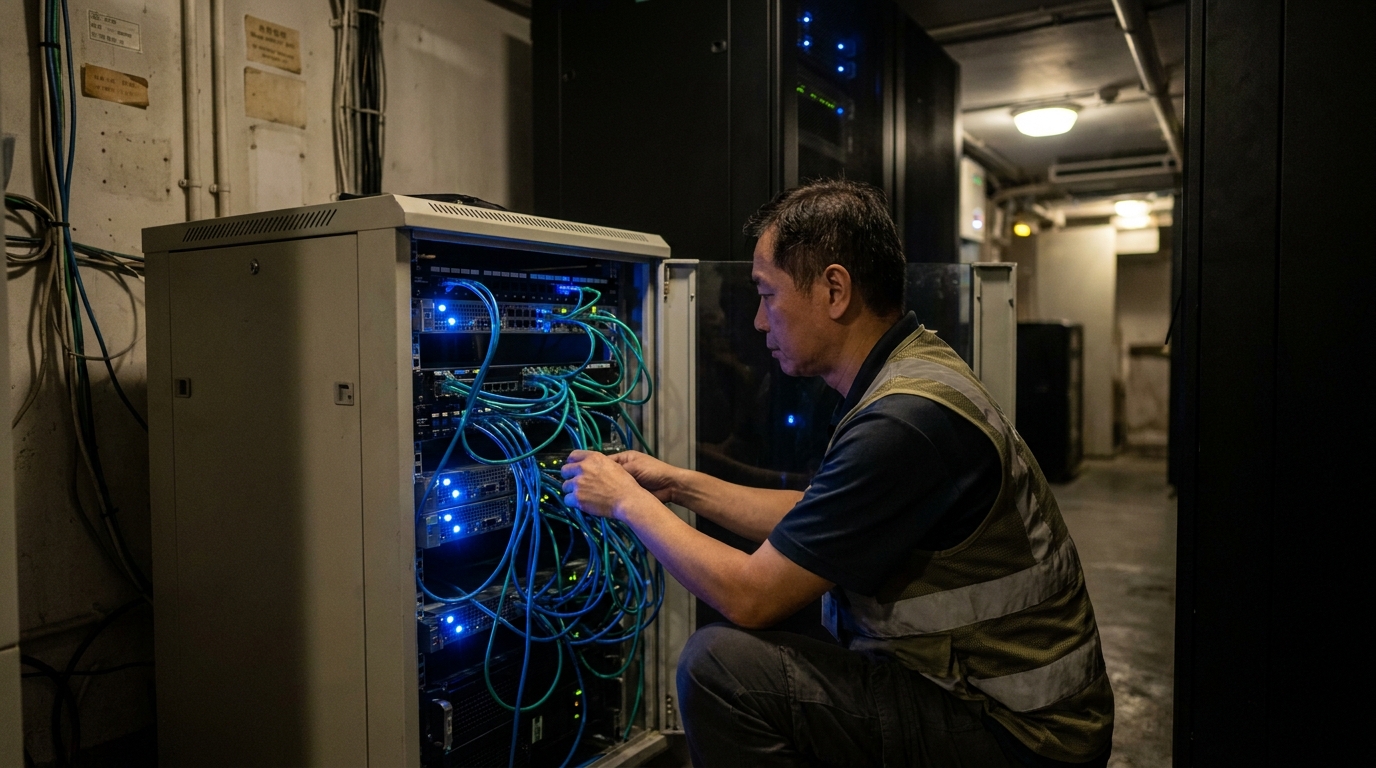
Beyond the visible guest room WiFi, the hotel's Backend Network is actually even more crucial. Hotel operations rely on multiple systems: PMS (Property Management System), POS (Point of Sale), CCTV, key card systems, and more. If these systems are mixed up with the guest network, a hacker or malware intrusion could instantly paralyze the entire hotel's operations.
Therefore, Network Segmentation is absolutely essential. By setting up VLANs (Virtual Local Area Networks), we can completely separate guests, staff, management systems, and IoT devices. Even if they share the same physical line, they can't casually access each other's data. This not only boosts security but also prevents broadcast storms from slowing down the entire network.
For backend management, you must nail the following three core configurations:
- Bandwidth Throttling: Set upload and download speed limits for each room or device (e.g., max 20Mbps per device). This prevents a few selfish guests from hogging the entire broadband connection with heavy BitTorrent downloads, leaving others unable to get online.
- Captive Portal: When guests connect, a sleek login page pops up asking for their room number and surname, or to agree to the terms of use. This page can also be used to promote the hotel's spa or buffet offers, driving cross-selling opportunities.
- Enterprise-grade Firewall: Install a Next-Gen Firewall equipped with IPS (Intrusion Prevention System) and Content Filtering to block malicious websites and attacks, protecting the hotel's core assets.
⚠️ Note: Never ignore the Client Isolation feature! You must enable this to prevent guests on the same WiFi network from scanning or hacking into each other's computers, ensuring privacy is protected.
4. Popular Business Broadband Plans Compared: DIA or Standard Business Broadband?
Once you've sorted out the internal network layout, you need to decide on the "big pipe" connecting you to the outside world. Hotel network usage is massive, so you absolutely cannot just pull in a cheap home broadband line for a few hundred bucks and call it a day. Today, mainstream Hong Kong telecom providers (like HKT, HKBN, CMHK, etc.) offer two main business broadband solutions: Dedicated Internet Access (DIA) and standard Business Broadband.
Standard Business Broadband usually runs on Shared Bandwidth, meaning you share the line's capacity with other companies in the same building or district, which can slow down during peak hours. The upside is the cheaper monthly fee, making it suitable for smaller boutique hotels or guesthouses. DIA, on the other hand, is a truly dedicated line that guarantees symmetrical upload and download speeds, backed by a very high SLA (Service Level Agreement) with strict repair time commitments if the connection drops. Large or star-rated hotels typically apply for at least two DIA lines for redundancy.
Here is a detailed comparison of the two solutions to give you a better idea:
| Comparison Item | Standard Business Broadband | Dedicated Internet Access (DIA) |
|---|---|---|
| Bandwidth Type | Shared bandwidth (may be affected during peak hours) | Dedicated bandwidth (100% speed guaranteed) |
| Upload/Download Speed | Mostly asymmetrical (e.g., fast download, slow upload) | Strictly symmetrical (e.g., guaranteed 1000M for both) |
| Fixed IP Quantity | Usually just 1, or requires extra purchase | Usually includes multiple fixed IPs (/29 or above) |
| SLA Guarantee | Lower (usually Best Effort) | Extremely high (99.9% uptime, 4-hour repair commitment) |
| Budget Required | Low (approx. $300 - $1000/mo) | High (approx. $3000 - $10000+/mo, depending on bandwidth) |
| Best For | Small hostels, guesthouses, youth hostels | Medium to large hotels, star-rated hotels requiring high stability |

5. Summary: Professional Planning Saves Money and Wins Reputations
Setting up a hotel broadband network is definitely not as simple as buying a few routers and plugging them in. From choosing the right business broadband line at the source, to firewall settings, VLAN segmentation, guest room AP layout, and seamless roaming optimization—every detail is interconnected. Do it right, and guests will naturally leave good reviews online, guaranteeing your occupancy rate. Do it wrong, and not only will you face daily complaints, but if your backend system gets infected, the losses could be immeasurable.
Major Hong Kong telecom providers all have dedicated solutions for the hotel industry, but their strengths, coverage, and pricing vary. Some might be exceptionally fast at pulling lines in your district, while others offer cheaper backup DIA options. As a hotel operator or IT manager, asking for quotes and hashing out technical details one by one takes a massive amount of time and effort.
The smartest move, of course, is to get help from experts who know the market inside out! Through a professional platform, you can compare the pros and cons of different providers all at once, build the most robust hotel network at the best price, and breeze through your entire IT planning.
🔥 Recommended Plan: One-Stop Hotel Broadband Quotes
Want to know which telecom provider is best for your hotel? Whether you're opening a new branch and need cabling, or upgrading an old network, enquire through King Broadband now! We can help you compare the latest business broadband and DIA offers from major providers like HKT, HKBN, and CMHK for free, providing you with the most professional network infrastructure advice to save you time and money!