
Published: 17 October 2026 | Category: Tech Trends
1. What is an eSIM-only iPhone and why should HKers care?
Ever since Apple launched the iPhone 14 in the US, they've completely ditched the physical SIM card tray, moving towards a 100% "eSIM-only" cardless phone. While the official Hong Kong iPhones still retain the dual physical SIM design, going cardless is absolutely the major trend for the next two to three years globally. Many tech enthusiasts in HK, or business travelers frequently flying to the US and UK, might have already bought parallel imported eSIM-only iPhones. When you get your hands on one of these new devices, you'll quickly realize the old habit of "poking the pin to swap cards" no longer works, and you have to rely entirely on your telecom provider's eSIM services.
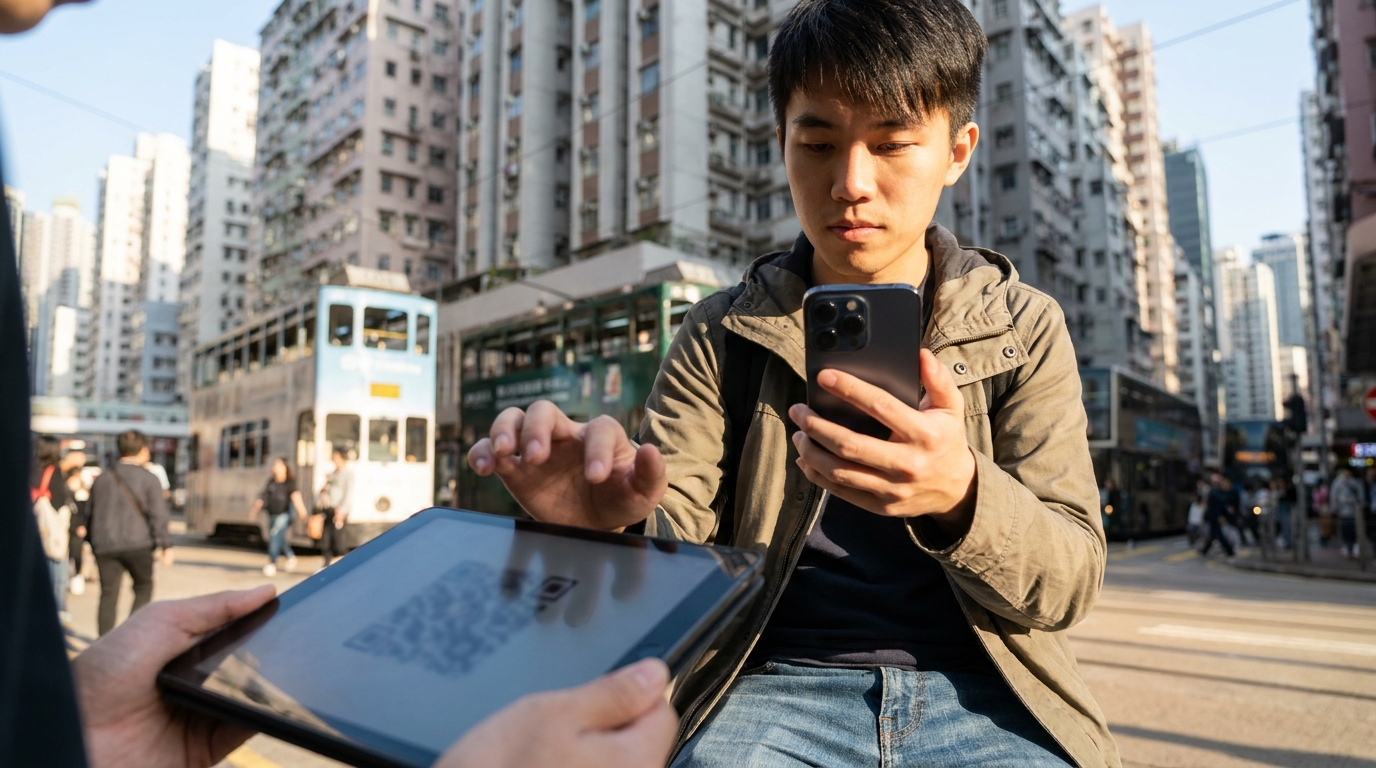
Actually, the benefits of an eSIM (embedded SIM) go way beyond just saving space for a card tray. First, it's soldered directly onto the phone's motherboard, meaning you won't suffer from poor contact due to daily bumps or water damage. Second, the security is incredibly high—if your phone gets stolen, thieves can't just pop out the physical SIM card to block network tracking, greatly increasing the chances of recovering your device. Most importantly, a single phone can store multiple eSIM profiles simultaneously, letting you switch between them anytime. Here are the core advantages that eSIM-only devices bring us:
- Instant network activation: After applying for a mobile plan online, you just scan the QR code you receive and you're good to go. No more waiting for a physical card to be mailed or queuing up at a retail store.
- Multi-number management: One device can store up to 8 or more eSIM profiles. You can toggle specific numbers on or off in your phone settings anytime, keeping work and personal life separate.
- Eco-friendly and space-saving: It reduces plastic SIM card and packaging waste, while freeing up internal space in the phone for a bigger battery or other precision components.
2. HK Telecom Providers eSIM Support Comparison
Since eSIMs are so convenient, how well do Hong Kong's telecom providers support them? If you want to switch to an eSIM right now, the big four (CSL, 3HK, SmarTone, CMHK) and some MVNOs (like HKBN) already fully support eSIM services. However, each provider differs slightly when it comes to fees, application procedures, and device transfer arrangements. Some networks let you sort it out for free with a few taps in their app, while others might require an in-person visit to a branch, or even charge an admin fee every time you change phones.
For example, SmarTone and CSL mobile plan users can often apply for or transfer their eSIM directly through the official mobile app. The whole process takes just a few minutes, which is perfect for efficiency-loving Hongkongers. CMHK waives the initial eSIM application fee for certain plans, but if you need to generate a new QR code when changing phones later, there might be extra charges. As for network leasers like HKBN, they also offer flexible eSIM options. We've put together a simple comparison table so you can see everything at a glance:
| Provider | Supported eSIM Mobile Plans | First-time Application Fee | Self-service Transfer (Old to New Device) |
|---|---|---|---|
| CSL / 1010 | Most 5G/4G plans | Free (depends on contract) | Supported (via App or native iOS feature) |
| SmarTone | All postpaid mobile plans | Free | Supported (via CARE App) |
| CMHK | Designated 5G mobile plans | First time free | Partially supported (requires contacting CS or branch) |
| 3HK | Most postpaid and prepaid SIMs | $28 (waived for some) | Supported (via My3 App) |
After looking at the table, you should have a pretty good idea. If you're someone who changes phones frequently or loves trying out new gadgets, picking a provider that supports seamless self-service eSIM transfers will save you a lot of time and money. Of course, actual fees and terms are subject to change by the providers, so remember to ask clearly before signing a contract.

3. Switching Plans & Phones: The Ultimate Guide to Avoiding Physical SIM to eSIM Pitfalls
Many people trying eSIM for the first time run into all sorts of headaches when switching plans or upgrading to a new iPhone, sometimes even losing their network connection or failing to receive WhatsApp verification codes. Converting a physical SIM to an eSIM, or transferring an eSIM from an old iPhone to a new eSIM-only iPhone, isn't actually a complicated process, but there are a few devilish details you absolutely must pay attention to.
⚠️ Warning: Whatever you do, do NOT "Delete eSIM Profile" on your old phone before successfully transferring it to the new one! Once deleted, the QR code often becomes invalid, and you'll have to physically visit a telecom branch and pay to get a replacement. You'll definitely regret it if that happens.
To ensure a smooth device transfer, we've put together a foolproof step-by-step guide. Just follow these instructions and you can't go wrong:
- Prepare a good Wi-Fi environment: Downloading and activating an eSIM profile requires an internet connection, so make sure your home or office Wi-Fi is stable before you start.
- Use the iOS transfer feature (for upgrading on the same network): If both your iPhones are running iOS 16 or above, you can select "Transfer from Nearby iPhone" during the new device setup to move your old eSIM over directly via Bluetooth and Wi-Fi.
- Scan a brand new QR Code (for new plan sign-ups): If you've just switched networks, the provider will give you a physical card with a QR code or send it via email. On your new phone, go to "Settings" > "Cellular" > "Add eSIM", scan it with your camera, and it'll download instantly.
- Confirm the signal before resetting your old phone: Once the new phone successfully displays the network name (like CSL or 3HK) and picks up a 5G/4G signal, try making a call to confirm everything works. Only then should you factory reset your old phone.
Also, a quick heads-up: if you're switching from an Android device to an iPhone, the current iOS system doesn't support direct eSIM transfers from Android via Bluetooth yet. You'll need to request a newly issued QR code from your telecom provider to get it sorted.
4. Travel & Business Trips: The New Way to Roam with eSIM
When it comes to the biggest advantage of an eSIM-only iPhone, traveling abroad and business trips definitely take the crown. In the past, when traveling to Japan or Europe, the first thing you'd do after landing was stand in a corner of the airport, frantically using a paperclip to pop open the SIM tray to swap in a travel SIM card bought from Sham Shui Po, all while terrified of dropping your original HK SIM card. Now with eSIMs, those clumsy moments are history.

Now, you just need to buy a travel eSIM from an online platform (like travel booking sites or dedicated eSIM providers) before you depart. After receiving the QR code via email, you can pre-scan it into your phone while still at home in HK. Once you arrive at your destination, simply "Turn On" the travel eSIM in your phone settings and select it as your default line for cellular data, and you can instantly get online to post updates and let your family know you're safe. At the same time, you can keep your HK eSIM turned on (just remember to turn off data roaming for it), so you can continue receiving free SMS messages from Hong Kong, like credit card OTPs or important notifications, without missing a thing.
💡 Tip: When buying a travel eSIM, we recommend choosing ones that support "automatic activation upon arrival". If you buy a plan that "deducts days immediately upon scanning", remember to only scan and add it right before boarding or after connecting to the airport Wi-Fi when you land.
Besides buying single-use travel eSIMs, the mobile plans offered by major HK telecom providers are actually getting very competitive. Many 5G plans now include roaming data for the Greater Bay Area or even the Asia-Pacific region. For business travelers who fly frequently, this can easily be more cost-effective than buying a new card every time.
🔥 Recommended Plan: Multi-destination 5G Roaming Mobile Plan
If you travel back to the mainland or fly to Southeast Asia once or twice a month, we highly recommend choosing a 5G mobile plan that includes "APAC roaming data". For example, some networks are offering plans for around $258/mo, which already include unlimited local data plus 10GB of APAC data. It's a one-and-done solution, and paired with an eSIM-only phone, it's an absolutely perfect combo!
5. Summary: Embrace the Cardless Era and Prepare Early
Whether you're currently holding a HK-version iPhone with a physical tray, or you've already jumped the gun with a US-version eSIM-only iPhone, the phasing out of physical SIM cards is an irreversible tech trend. The convenience, security, and flexibility brought by eSIMs are absolutely worth adapting to and experiencing early on. From seamless local network switching to effortless internet access while traveling abroad, eSIMs have redefined how we use mobile networks.
However, faced with a dazzling array of telecom plans on the market, which provider has the most stable 5G network? Which one waives the eSIM admin fee and throws in the most roaming data? Calling them up one by one to ask is incredibly time-consuming. If you're getting ready to upgrade your phone, or your contract is almost up and you want to switch to a network with better eSIM support, you definitely need to do your homework and compare carefully.
- First, assess your monthly local data usage and how often you travel abroad.
- Check with your current telecom provider about specific fees and support for switching to an eSIM.
- Make good use of online comparison platforms to uncover hidden switching discounts and welcome offers.
Looking for the best value home broadband or mobile plan? Don't want the hassle of shopping around yourself? Feel free to seek professional advice through King Broadband. We have the most comprehensive and up-to-date HK telecom pricing info to help you easily pick out the best cardless setup for your needs. Take action now!