
Published: 10 October 2026 | Category: In-Depth Analysis
1. What is 10Gbps Broadband? Is it Really That Fast?
Hong Kong's network development is moving at lightning speed. We used to think 1000M home broadband was the ultimate peak, but now 10000M (or 10Gbps) fibre broadband has officially entered ordinary households and SMEs! Most people's first reaction is: "Wow, does 10000M mean it's 10 times faster? Is it really going to fly?" Looking at the numbers, the theoretical maximum transfer speed of 10Gbps broadband reaches 1.25GB per second. If you're downloading a 100GB AAA game, 1000M used to take 10 to 20 minutes, but now it theoretically takes just about a minute and a half! For Hong Kongers who count every second, this speed is an absolutely game-changing experience.
But let's be real—just because the speed is 10 times faster doesn't mean scrolling through IG or browsing the web will feel 10 times faster. Everyday apps simply don't max out that kind of bandwidth. The true power of 10Gbps lies in multitasking, ultra-low latency, and massive file transfers. Let's first look at the basic differences between 10Gbps and traditional broadband to give you a general idea:
- Massive bandwidth capacity: It's like expanding a single-lane road directly into a 10-lane highway. Even if everyone in the house is streaming 4K at the same time, there won't be any traffic jams.
- Symmetrical upload and download: Most mainstream 10G fibre plans today are symmetrical (meaning both upload and download are 10000M). This is crucial for people who constantly back up massive files to the cloud.
- Future-proofing for new tech: With the rise of 8K video, VR/AR metaverse apps, and Wi-Fi 7, getting 10G broadband is basically buying insurance for the next five years of tech development.

2. 10000M Fibre Broadband: Who Needs to Upgrade the Most?
While 10Gbps sounds incredibly tempting, not everyone needs to upgrade right away. If you just use the internet to watch YouTube, reply to WhatsApps, or only have a couple of phones connected to Wi-Fi, then 1000M or even 500M is more than enough. Upgrading blindly is just throwing money down the drain. However, if you fall into any of the following categories, 10000M fibre broadband will be an absolute godsend and can save you a massive amount of waiting time:
- Professional video creators / YouTubers: If you frequently handle 4K or even 8K videos, or need to sync dozens of GBs of footage to a NAS (Network Attached Storage) or the cloud, a 10G network drastically cuts down transfer times, massively boosting your video editing and production efficiency.
- Hardcore gamers: PC and PS5 games easily top 100GB these days. With 10G broadband, you can buy a game, grab a coffee, and it'll be done downloading by the time you're back. Plus, with ultra-low latency (ping), you'll naturally have the edge in FPS shooters.
- Smart home enthusiasts / Large families: If your home has dozens of smart devices, plus several family members simultaneously streaming 4K Netflix, gaming, and taking Zoom calls, 10G bandwidth ensures every device gets plenty of data without fighting for speed.
- SMEs / Startup offices: When you have 10 to 20 colleagues working together in an office, a single 1000M commercial broadband line will definitely crawl during peak hours. Upgrading to 10G perfectly solves office network bottlenecks.
🔥 Upgrade Indicator
If you notice your home or office has a massive monthly data throughput, or you constantly wonder "why is uploading still so slow when I have 1000M?", then it's time to consider making the jump to 10Gbps!
3. Hidden Costs and Hardware Requirements for Upgrading to 10G
Many people think that just calling their telecom provider to upgrade their plan will automatically make their home internet 10 times faster. This is the biggest misconception! A 10Gbps network is like a superhighway—if you don't have a sports car, you'll still be driving slowly even when you get on it. To fully max out 10000M speeds, your home or office hardware needs a complete overhaul, and these "hidden costs" are no joke. If your hardware can't keep up, it'll instantly become the bottleneck of your entire network.
⚠️ Note: If you're still using an older Wi-Fi 5 router, or your computer only has a standard Gigabit LAN card, even if you sign up for 10G broadband, you'll only experience 1000M speeds at best!
To perfectly experience 10Gbps, you need to prepare the following hardware upgrade checklist:
- 10G Router: It must have both a 10Gbps WAN port and a 10Gbps LAN port. Ideally, it should support the latest Wi-Fi 7 standard to push wireless speeds to the limit. These routers easily cost a few thousand dollars on the market.
- Cat 6a or Cat 7 Ethernet Cables: Traditional Cat 5e cables only support up to 1000M. To run 10Gbps stably, all the LAN cables in your home or office must be swapped out for Cat 6a or higher specs.
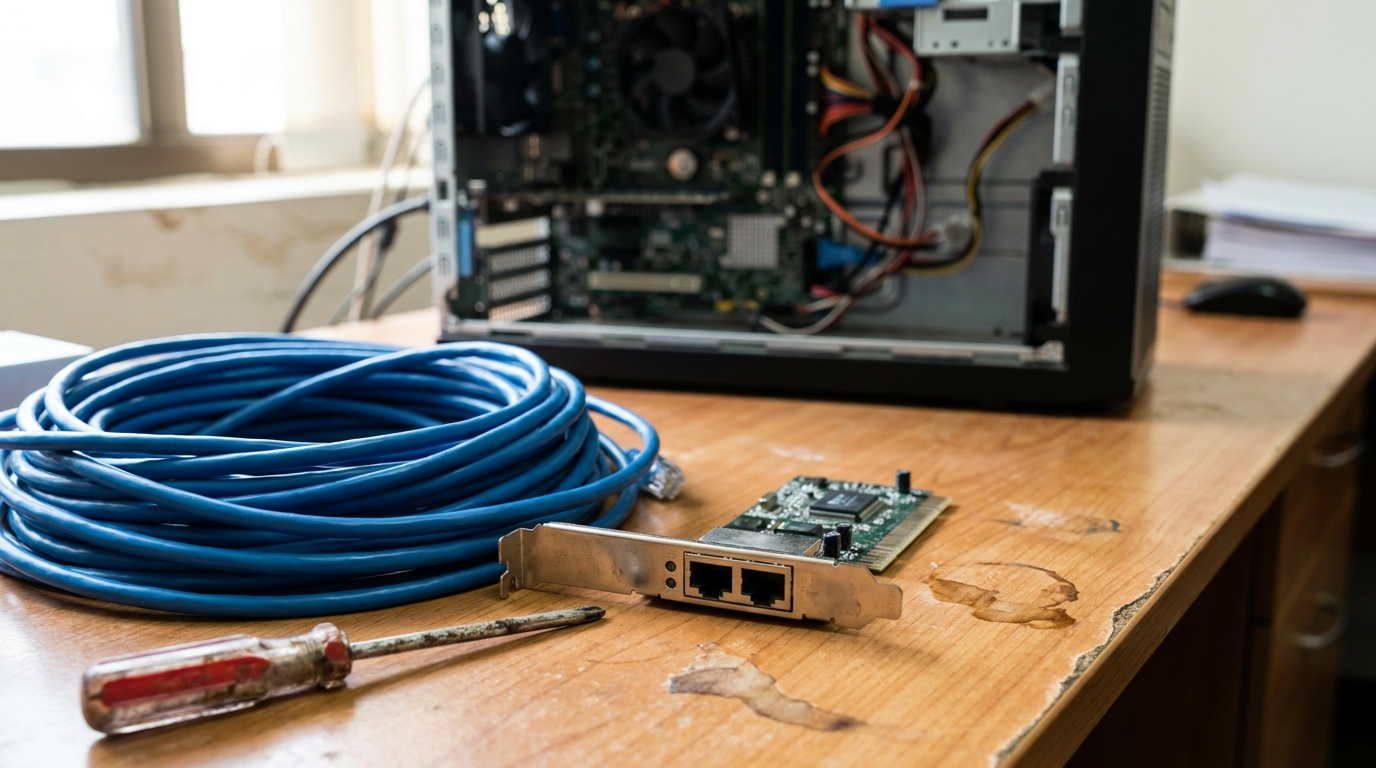
- 10G PCIe Network Card / Thunderbolt Adapter: Most built-in motherboard LAN ports are only 1G or 2.5G. You'll need to install an extra 10G network card, and Mac users will need to buy a Thunderbolt 3/4 to 10G adapter.
- Ultra-fast SSD: This is what most people overlook! 10G broadband download speeds can hit 1.25GB/s. If you use a traditional hard drive (HDD) or an older SATA SSD, the write speed simply won't keep up with the internet speed. You absolutely need a PCIe NVMe Gen4 or above SSD.
4. Comparing 10Gbps Plans from Major HK Telecom Providers
Right now, major Hong Kong telecom providers like HKT (Netvigator) and HKBN are heavily pushing 10Gbps fibre broadband. CMHK, SmarTone, and others also offer ultra-fast options for specific buildings. Each provider has a different strategy—some focus on renting out top-tier routers with the plan, while others attract customers with super cheap broadband-only monthly fees. We've put together a conceptual comparison table so you know what details to look out for when comparing prices.
| Comparison Item | Mainstream 1000M Plan | High-end 2.5G/2500M Plan | Top-tier 10G/10000M Plan |
|---|---|---|---|
| Estimated Monthly Budget | $99 - $150 | $198 - $298 | $298 - $998 (Depends if router is included) |
| Target Audience | General households, light users | Gamers, mid-level creators | Professional studios, SMEs, tech enthusiasts |
| Hardware Requirements | Standard Wi-Fi 5/6 Router | Router with a 2.5G Port | Full 10G setup (Router, LAN card, cables) |
| Provider Service Features | Widest coverage, available in public & private housing | High value-for-money transitional option | Often includes on-site installation and network setup assessment |
Looking at the table, the monthly fee gap for 10G broadband can actually be huge. For example, HKT's 10G plans usually focus on bundling top-tier Wi-Fi 6E or Wi-Fi 7 router rentals, which is super convenient for users who don't want the hassle of buying their own gear, but the monthly fee is naturally higher. Meanwhile, HKBN sometimes rolls out highly competitive "broadband-only" monthly fees, perfect for IT pros who already have a full set of 10G equipment. For SME commercial broadband, while 10G is pricier than home plans, compared to buying a Leased Line in the past, today's commercial 10G fibre is ridiculously cheap and an absolute weapon for boosting company productivity.

5. Summary: Is It Worth Pulling the Trigger on an Upgrade?
To sum up, 10Gbps broadband is undoubtedly the major trend of the future. While 10000M is definitely overkill for the average Hong Kong user who just watches Netflix and browses the web, if you're in video production, desperately crave low-latency gaming, or run an SME that needs to transfer massive amounts of data, upgrading to 10G broadband is absolutely a worthwhile investment. Time is money, and the time saved on loading and transferring files will easily cover the broadband monthly fee and then some!
💡 Tip: Don't rush to sign a contract! The fibre network infrastructure varies for every building, and some older buildings might not even support a 10G line. Before applying, make sure to check the coverage and calculate exactly how much extra hardware you'll need to buy.
Before you pull the trigger, remember to prepare the following:
- Review your home or office's actual network usage to confirm that 1000M is already bottlenecking.
- Set aside a budget to upgrade your router, LAN cables, and computer network cards to ensure you can max out the 10000M speeds.
- Compare welcome offers from major telecom providers. Sometimes the free high-end routers or vouchers can help subsidise a lot of your hardware costs.
- If you're dazzled by all the 10G plans from different telecom providers and don't know which one is the cheapest and best value, feel free to enquire through King Broadband anytime. We have specialists to help you compare prices and find the ultimate high-speed solution that suits you best!